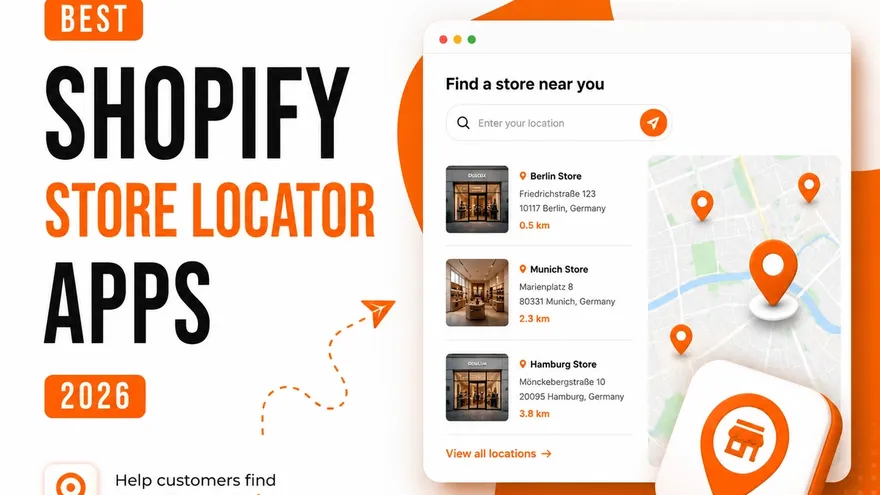
Put every stockist on one map.

Dropby is a store locator for Shopify stores that sell through retail partners. Your customers find the nearest one, filter it the way you decide, and get directions.

yourstore.myshopify.com/pages/store-locator

Every “where can I buy this?” is a sale about to happen somewhere.

If a shopper cannot find your shops or your stockists in a few seconds, they buy from a brand that is easier to find.

  • A bolted-on map costs you trust

    A widget that looks nothing like the rest of your theme tells a shopper you are small. On a premium storefront that reads as a risk.

  • Wrong hours send people home

    Someone who drives to a closed shop rarely tries again. Hours, holidays and one-off closures have to be right in one place, not four.

  • “Near me” finds whoever shows up

    People look up a shop on their phone and walk in the same day. With no locator page, that search finds somebody else.

  • Nobody rings to ask where to buy

    If a shopper cannot see which retailer near them stocks you, they do not call your office. They buy the brand that is already on Amazon.

Two kinds of brand. One map.

Whether shoppers are looking for your own shops or for a retailer that carries you, Dropby gets them to the door.

Which kind of brand are you?

Own stores

Pick the basemap and marker design, upload your own pins, and on the higher plans write CSS against documented classes. The map belongs to the page instead of sitting next to it.

The storefront map is designed for phones first, and every location carries a directions button that opens the map app they already use.

Each location has regular hours plus special hours for holidays and one-off closures, so nobody drives to a shut door.

Analytics show which locations get looked up and where the people looking them up are, as a list and a heatmap. Export it if you would rather work in your own tools.

Dealer networks

Export from a spreadsheet or your current locator and bulk-import the CSV. Up to 5,000 locations, depending on your plan.

Create filters for retailer type, product range or services — whatever your network actually varies by — and apply them per dealer.

Description, thumbnail, contact details, opening times and a directions button, rather than a row in a table.

Update a dealer once and the map is right everywhere. Export the whole list to CSV whenever you need it somewhere else.

The first review is in.

Support is the part of an app you only find out about after you install it. This is what the first merchant to review Dropby had to say about ours.

One review on the Shopify App Store

Read it on the App Store

5.0 out of 5

Dropby is simple to use and looks great. We had questions about extra features and contacted support. Everything was done within a few hours. You rarely get support that fast. That is really great!

Shopify App Store · Germany · August 21, 2026

Priced by how many locations you pin.

CSV import, analytics and multi-language are in every plan, including the free one.

Billing period

Questions merchants ask before installing

What Dropby does, what it costs you in setup time, and what happens to your data if you change your mind.

Three things. There is no Google API key to wrestle with before you see a map. It is brandable enough to look built into your theme instead of bolted on. And the free plan is free for good, with analytics that do not send your visitors anywhere they should not go.

No. Dropby runs on OpenStreetMap out of the box — install it and start adding locations. If you would rather have Google basemaps or your own Google map styling, you can add your own key. It is optional, never required.

Yes. Export your locations from your current app as a CSV and bulk-import them into Dropby in a couple of clicks. Nothing gets re-typed by hand.

Up to 5,000, depending on your plan. Each location carries opening times, special opening hours, a description, a thumbnail, contact details and a directions button.

Yes. You create the filters and apply them to your locations, so customers can narrow the map by category, services, amenities, retailer type or anything else you define.

The storefront is translated into 9 languages and the admin into 7. Every string can be overwritten, so the map speaks the way the rest of your store does.

Which locations get looked up, where the people looking them up are, and a heatmap of both. It is GDPR-compliant, and you can export the data if you would rather look at it in your own tools.

Yes. Pick a basemap style and a marker design, upload your own markers, and on the higher plans write your own CSS against a documented set of classes. Button behaviour, geolocation and pagination are all settings, not code.

Nothing is deleted. Locations above your new plan’s limit are deactivated, not removed, and come back the moment you upgrade again. You can export everything to CSV at any time — the data stays yours.

Yes. Most merchants are live in under ten minutes on their own, but if you want a hand importing locations, building filters or moving off another app, write to us and we will do it with you.

Contact us

Yes. The storefront map is built for phones and tablets first, because that is where most people look up a shop they are about to walk into.

Add your first two locations for free.

Install Dropby from the Shopify App Store and put a map on your store this afternoon.

  • Bring your existing list

    Export from your current locator as a CSV and bulk-import it in a couple of clicks.

  • Leaving is as easy as arriving

    Export everything to CSV at any time. Downgrade deactivates locations, it never deletes them.